
Photo to Pixel Art, Coloring Page or ASCII Art
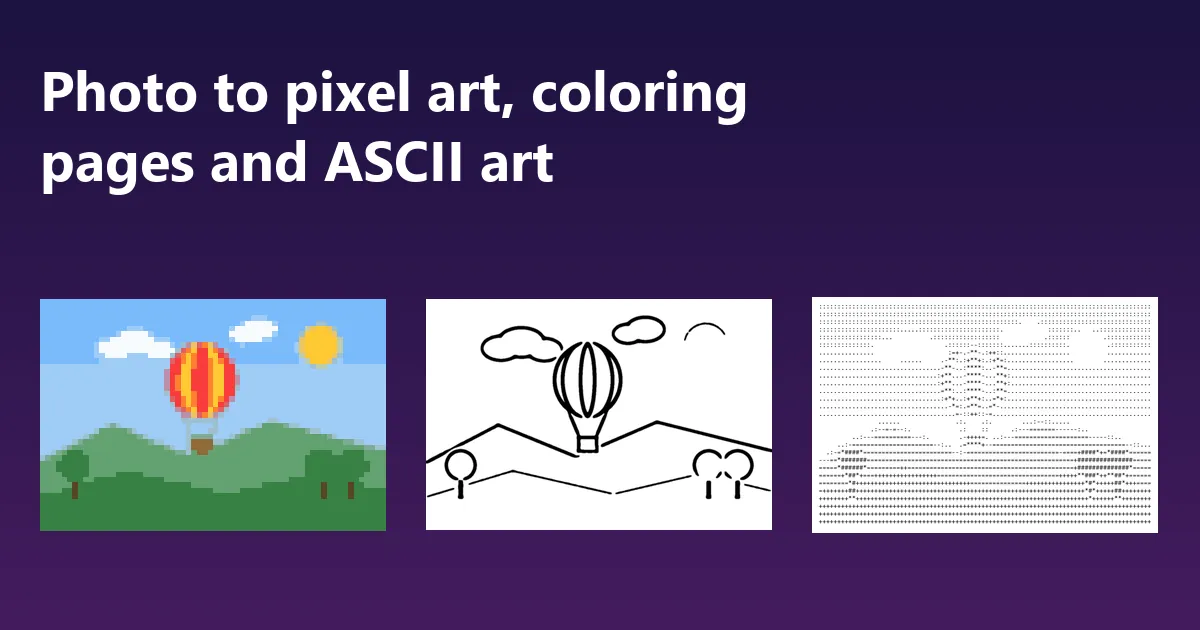
Pixel art, coloring pages and ASCII art all simplify a picture, each in a different way. Pixel art keeps the colours but throws away the detail, a coloring page keeps the outlines but throws away the colour, and ASCII art turns brightness into letters. All three can be made from a photo in a few seconds, for free, in your browser.
The short answer
- Pixel art: Image to Pixel Art, 32 to 64 pixels across, then pick a palette.
- Coloring page: Photo to Coloring Page, clean outlines, A4 or Letter.
- ASCII art: Image to ASCII Art, about 80 characters across, copy the text.
- Start from a photo with one clear subject; crop tight first with the Image Cropper.
Photo to pixel art
Pixel art is a picture made of a small grid of square blocks in a limited palette, the look of 8-bit and 16-bit games. Image to Pixel Art does it in three steps: it shrinks the photo to a grid, from 16 to 256 blocks across, reduces it to a small set of colours, and scales it back up with hard square edges so it stays crisp.
The two settings that decide the look are the grid size and the palette:
- Pixels across. 32 is a chunky sprite, 64 a detailed one, 128 starts to look like a low-resolution photo. Fewer blocks need a simpler subject.
- Colours. Best colours from the photo picks the 2 to 32 colours that represent this picture best. The classic palettes give a period look: PICO-8 and Sweetie 16 for modern indie games, Game Boy for four shades of green, CGA for 1980s cyan and magenta.
- Dithering mixes two colours in a pattern to suggest a third, which is how old games drew skies and shadows with so few colours. Leave it off for flat, clean blocks.
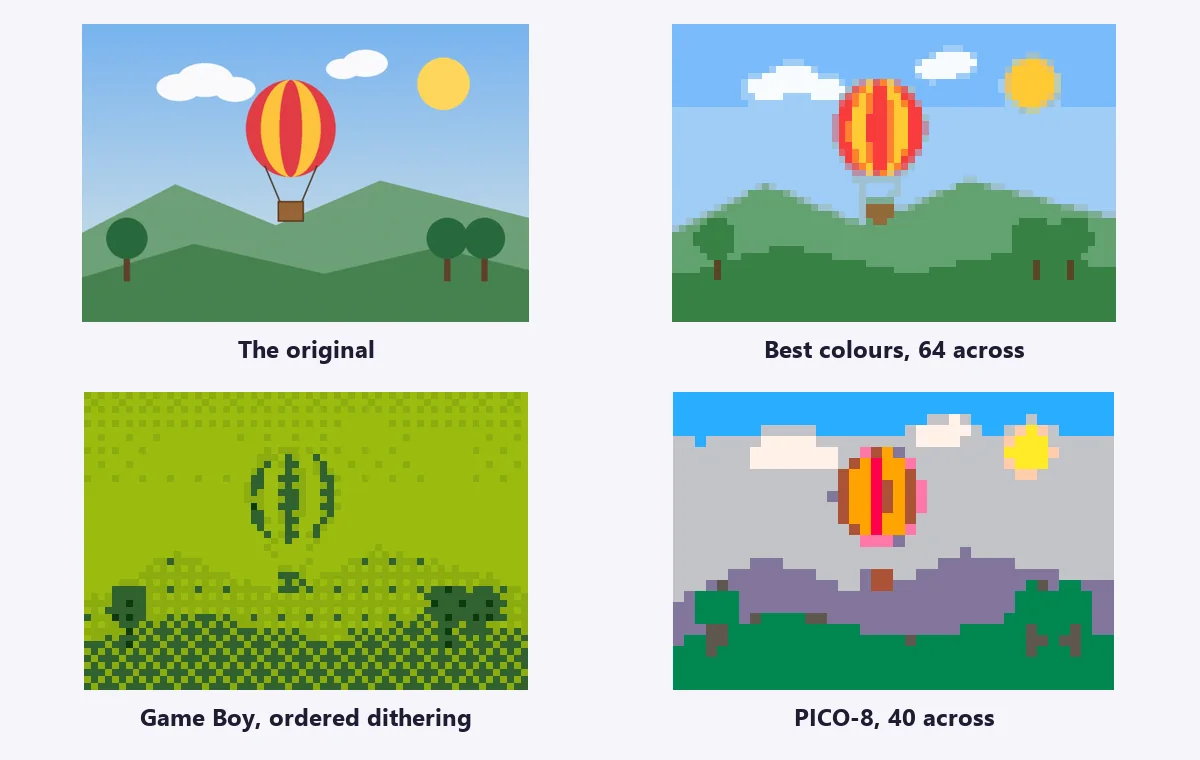
A fixed palette changes colours that are not in it, as the PICO-8 hills above show. If the result looks off, try more colours, a different palette, or the photo’s own colours. For a game engine, download at true size (one pixel per block) and turn texture filtering to nearest; for posting, choose 8 or 16 times bigger.
Photo to coloring page
A coloring page needs closed, clean outlines and nothing else: no shading, no texture, no specks. Photo to Coloring Page finds the edges in the photo, clears away the short marks that would make the page messy, and thickens the lines so they are easy to color inside.
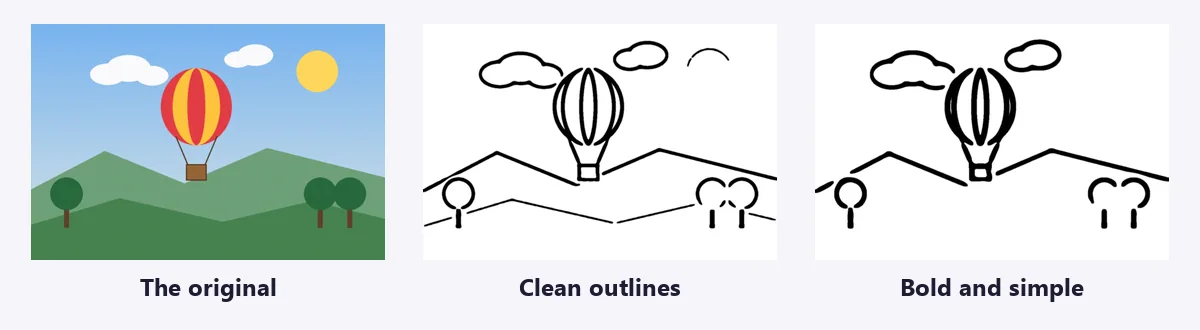
- Style. Clean outlines suits most pictures; Detailed line art keeps more texture for older children and adults; Bold and simple is for preschoolers.
- Line detail and Remove small marks pull in opposite directions. Raise detail if outlines are missing, raise the cleaning if the page is cluttered.
- Page. A4 or US Letter centres the drawing with margins at 200 dpi, ready for any home printer.
Turning a photo of your own pet, house or child’s favourite toy into a page is the best use of it: children color with far more interest when they recognise the subject. Do not trace other people’s photos or cartoon characters for pages you plan to sell; the outlines carry their copyright.
Image to ASCII art
ASCII art draws a picture with text characters: dense ones such as @ and # for dark areas, light ones such as . and : for bright areas. Image to ASCII Art measures the brightness of each character-sized cell of the image and picks the character that matches. You get the text, to copy into a code comment, a README or a terminal, and a picture of it to post anywhere.
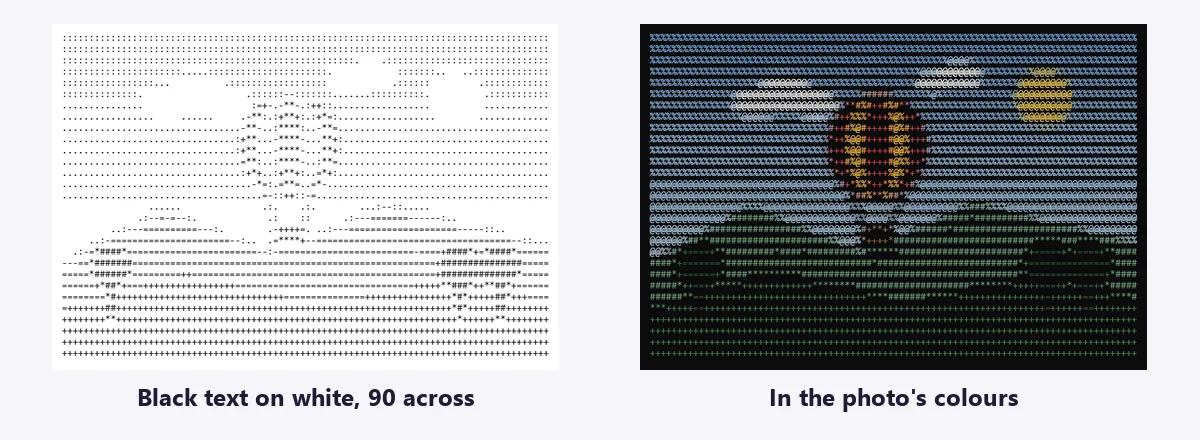
- Characters across. 80 fits a standard terminal; 100 to 150 shows more detail.
- Characters. Standard uses ten characters and reads clearly; Detailed uses seventy for finer shading; Blocks uses shaded squares.
- Invert brightness when the text will be shown light-on-dark, as in most terminals and dark-mode editors.
The copied text only lines up in a monospaced font. Paste it in a code block or plain-text file; a chat message in a normal font will scramble the columns.
Which photos work best
All three tools simplify, so they reward simple pictures. A single subject that stands out from a plain background gives the best pixel art, the cleanest coloring page and the most readable ASCII art. Crop tight with the Image Cropper so the subject fills the frame, raise the contrast of a flat photo with Image Adjustments, and remove a busy background with the Background Remover. For a shaded pencil drawing rather than outlines, try Photo to Sketch; for a cartoon look in full color, Photo to Cartoon.
Frequently asked questions
What is the best size for pixel art?
Classic game sprites are 16 to 64 pixels across. For a picture made from a photo, 48 to 96 pixels across keeps the subject recognisable while still looking like pixel art. Set it with Pixels across in Image to Pixel Art.
How do I make pixel art look sharp when I enlarge it?
Scale it by a whole number with nearest-neighbour sampling, so every pixel becomes a clean square block. Image to Pixel Art does this for you: choose 8 or 16 times bigger. Ordinary resizing blurs the blocks.
Can I print a coloring page from my own photo?
Yes. In Photo to Coloring Page, choose A4 or US Letter and the drawing is centred on the page with margins at 200 dpi. Print at 100% or "fit to page".
Which photos make good coloring pages?
A single clear subject against a plain background: a pet, a house, a car, a toy, a face in good light. Grass, leaves and busy patterns turn into a tangle of small lines, so remove a busy background first with the Background Remover.
Why does my ASCII art look wrong in a chat?
Most chat apps use a proportional font, where i and W have different widths, so the columns drift. Paste it in a code block (three backticks in Discord, Slack and GitHub) or a plain-text file, where every character is the same width. More help: ImgVX AI help docs.
Are these AI tools?
No. All three are image processing filters that run in your browser: they trace and simplify your picture rather than redrawing it, so the result follows your photo closely and comes out the same every time.
Try it on your own photo
Free, in your browser, with no sign-up and no watermark. Your photo stays on your device.